
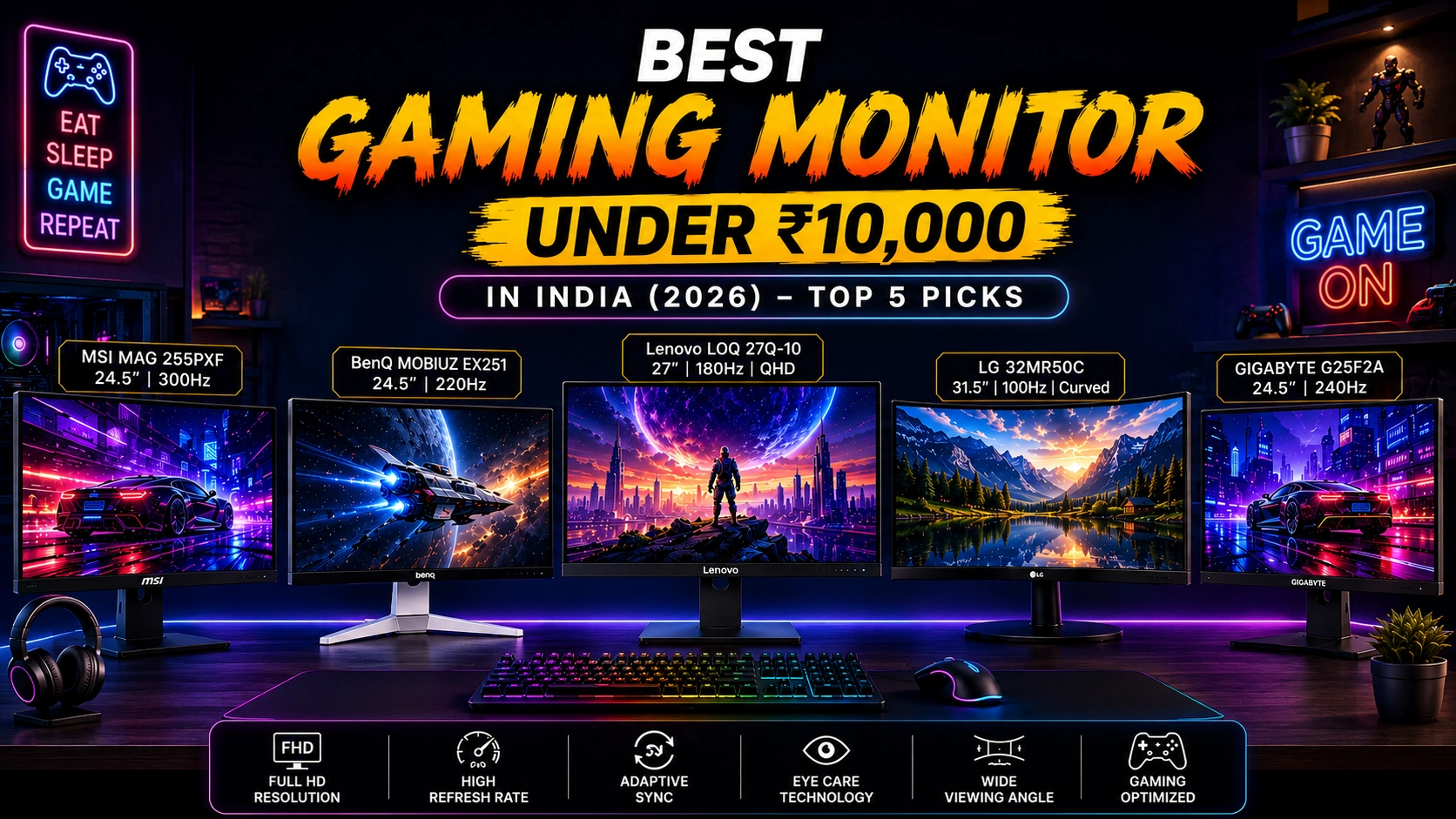

Choosing the Best Gaming Monitor Under 10000 can significantly improve smoothness, responsiveness, and visual quality without requiring a premium budget. In 2026, fast IPS gaming monitors under ₹10,000 are increasingly accessible, offering refresh rates far beyond traditional 60Hz displays.
When choosing a gaming monitor under 10000, consider refresh rate, response time, panel type, Adaptive-Sync, Full HD resolution, colour coverage, connectivity, and ergonomic features. We’ve selected five strong options:
Lenovo LOQ 24-10 for 200Hz gaming, MSI MAG 245F X24 for competitive 240Hz gameplay, Lenovo L24-4C and Acer SA242Y P1 for balanced gaming and productivity, and FRONTECH Ultima for affordable curved-screen entertainment.
Whether you want a 144Hz monitor under 10000, a 200Hz gaming monitor under 10000, or a 240Hz monitor under 10000, these picks offer compelling value.
Table of Contents
1: 5 Best Gaming Monitors Under 10000
1.1: Lenovo LOQ 24-10 (Smartchoice) 23.8-inch 200Hz Gaming Monitor
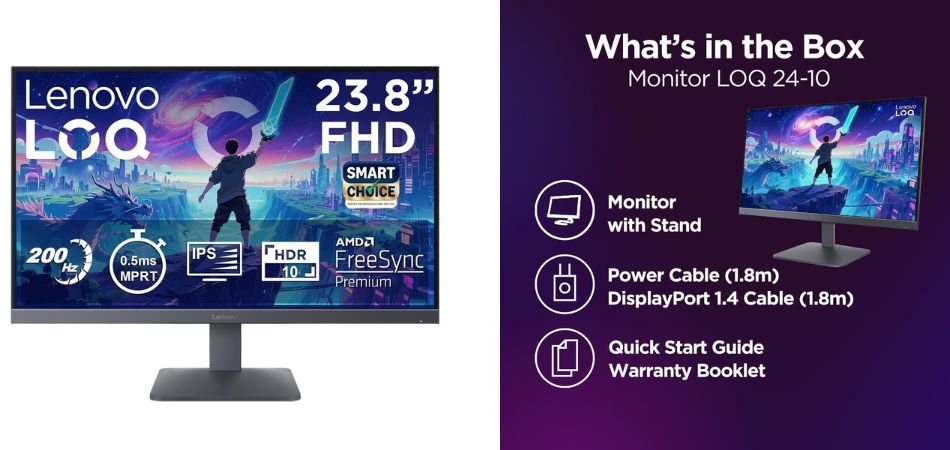
The Lenovo LOQ 24-10 is a compelling 23.8-inch gaming monitor for players who want fast, smooth performance without stretching the budget. Its Full HD IPS panel combines a 200Hz refresh rate with a claimed 0.5ms response time, while AMD FreeSync helps reduce tearing during action-heavy gameplay. HDR10 compliance and 99% sRGB coverage also make it suitable for everyday content and gaming. The Lunar Grey design adds a clean, modern look.
Key Specifications
| Feature | Details |
|---|---|
| Display Size | 23.8-inch (60.45 cm) |
| Resolution | Full HD, 1920 × 1080 |
| Panel | IPS |
| Refresh Rate | 200Hz |
| Response Time | 0.5ms |
| HDR | HDR10 Compliance |
| Color Coverage | 99% sRGB |
| Adaptive Sync | AMD FreeSync |
| Ports | 2× HDMI 2.1 TMDS, 1× DisplayPort 1.4 |
| Stand | Tilt Adjustable |
| Color | Lunar Grey |
| Model | 68F1GACBIN |
Who Should Buy It?
Ideal for competitive gamers, FPS players, and budget-conscious PC builders seeking high-refresh-rate 1080p gaming with smooth visuals and responsive gameplay.
Verdict
The Lenovo LOQ 24-10 is a strong value-focused gaming monitor for 2026. Its 200Hz IPS display, 0.5ms response time, AMD FreeSync, HDR10 compliance, and 99% sRGB coverage make it an attractive option for fast-paced gaming and everyday use.
1.2: Lenovo L24-4C 24-Inch Ultraslim PC Monitor
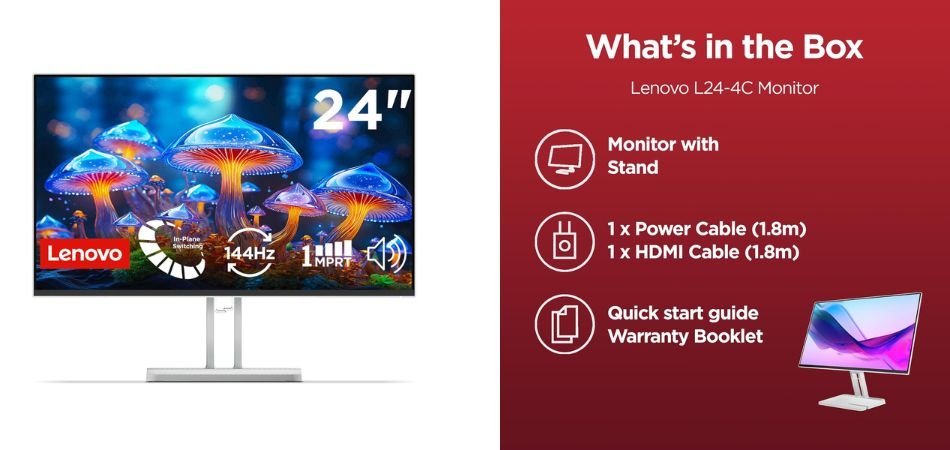
The Lenovo L24-4C is a sleek 24-inch Full HD IPS monitor built for smooth everyday computing and casual gaming. Its 144Hz refresh rate, 1ms response time, AMD FreeSync, and 99% sRGB coverage deliver responsive, vibrant visuals, while built-in 2×3W speakers add convenience. The bezel-less design, VESA support, and EyeSafe features make it a practical choice for modern workstations and entertainment setups.
Key Specifications
| Feature | Details |
|---|---|
| Display | 24-inch IPS |
| Resolution | Full HD (1920 × 1080) |
| Refresh Rate | 144Hz |
| Response Time | 1ms |
| Colour Coverage | 99% sRGB |
| Adaptive Sync | AMD FreeSync |
| Speakers | 2×3W |
| Ports | HDMI, DisplayPort, Audio Out |
| Design | Bezel-less, Ultraslim |
| Mounting | VESA Mount |
| Colour | Grey |
Who Should Buy It?
This monitor suits students, office users, content consumers, and casual gamers who want a 144Hz IPS display with useful extras such as speakers, FreeSync, EyeSafe technology, and VESA mounting.
Verdict
The Lenovo L24-4C stands out as a versatile 24-inch 144Hz monitor that balances smooth performance, colour quality, comfort, and modern design. It is a strong choice for productivity and everyday gaming without unnecessary premium features.
1.3: MSI MAG 245F X24 24-Inch Gaming Monitor
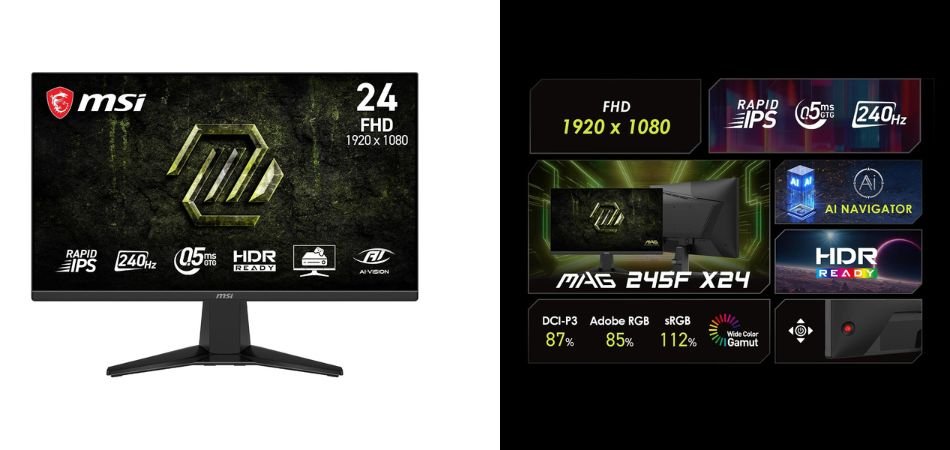
The MSI MAG 245F X24 is a performance-focused 24-inch FHD gaming monitor designed for competitive play. Its Rapid IPS panel, 240Hz refresh rate, and 0.5ms response time deliver exceptionally smooth, responsive visuals. AMD FreeSync Premium helps minimize tearing, while HDR Ready, AI Vision, and Eye Care features enhance the viewing experience. The frameless design and VESA support also make it a clean, flexible addition to modern gaming setups.
Key Specifications
| Feature | Details |
|---|---|
| Display Size | 24-inch |
| Resolution | Full HD (1920 × 1080) |
| Panel | Rapid IPS |
| Refresh Rate | 240Hz |
| Response Time | 0.5ms |
| HDR | HDR Ready |
| Adaptive Sync | AMD FreeSync Premium |
| Gaming Features | AI Vision, Eye Care |
| Ports | HDMI 2.0b, DisplayPort 1.2a |
| Design | Frameless |
| Mounting | VESA Mount |
| Colour | Black |
Who Should Buy It?
The MSI MAG 245F X24 is best suited to competitive FPS, esports, and fast-paced gamers who prioritize high refresh rates and low response times. It is particularly appealing for PC players with hardware capable of taking advantage of 240Hz gaming at 1080p.
Verdict
With a 240Hz Rapid IPS panel, 0.5ms response time, FreeSync Premium, and competitive gaming features, the MSI MAG 245F X24 is a strong choice for esports-focused users. Its combination of speed, responsiveness, and modern frameless styling makes it a compelling 24-inch gaming monitor for 2026.
1.4: Acer SA242Y P1 23.8-Inch Full HD IPS Ultra-Slim Monitor
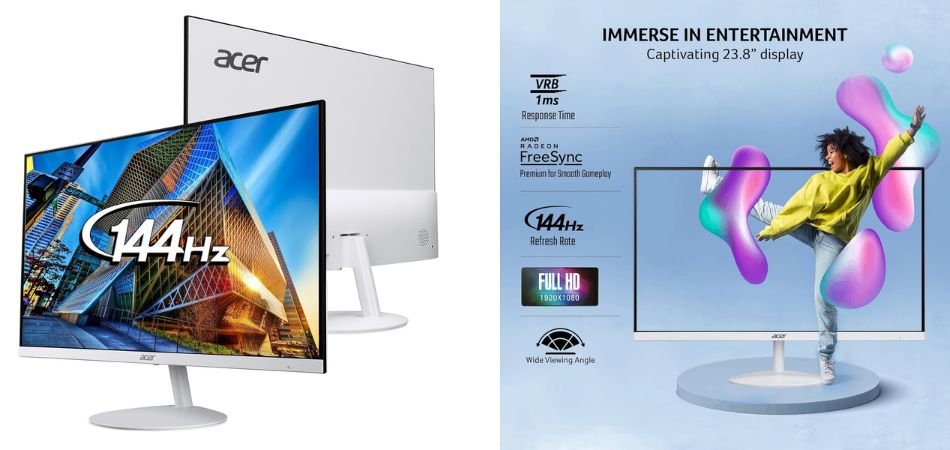
The Acer SA242Y P1 is a stylish 23.8-inch Full HD IPS monitor designed for smooth gaming and everyday productivity. Its 144Hz refresh rate and 1ms VRB response help deliver fluid motion, while AMD FreeSync reduces screen tearing. The ultra-slim 7.2mm profile and ZeroFrame design give it a modern, space-saving appearance. Built-in speakers and VisionCare eye-protection features further improve its versatility for work, entertainment, and casual gaming.
Key Specifications
| Feature | Details |
|---|---|
| Display Size | 23.8-inch |
| Resolution | Full HD (1920 × 1080) |
| Panel | IPS |
| Refresh Rate | 144Hz |
| Response Time | 1ms VRB |
| Adaptive Sync | AMD FreeSync |
| Design | ZeroFrame, Ultra-Slim |
| Thickness | 7.2mm |
| Eye Care | Acer VisionCare |
| Ports | HDMI, VGA |
| Speakers | Built-in |
| Mounting | Standard stand |
| Ideal For | Gaming, Work & Entertainment |
Who Should Buy It?
The Acer SA242Y P1 is a good fit for students, office users, and casual gamers seeking a slim 144Hz IPS monitor with smooth performance, eye-care features, and built-in audio without spending heavily on premium gaming features.
Verdict
The Acer SA242Y P1 combines 144Hz smoothness, 1ms VRB, IPS visuals, FreeSync, and an ultra-slim ZeroFrame design in an affordable package. For buyers wanting a versatile Full HD monitor for gaming, productivity, and entertainment, it is a well-rounded 2026 option.
1.5: FRONTECH 24-Inch Ultima Series Curved LED Monitor
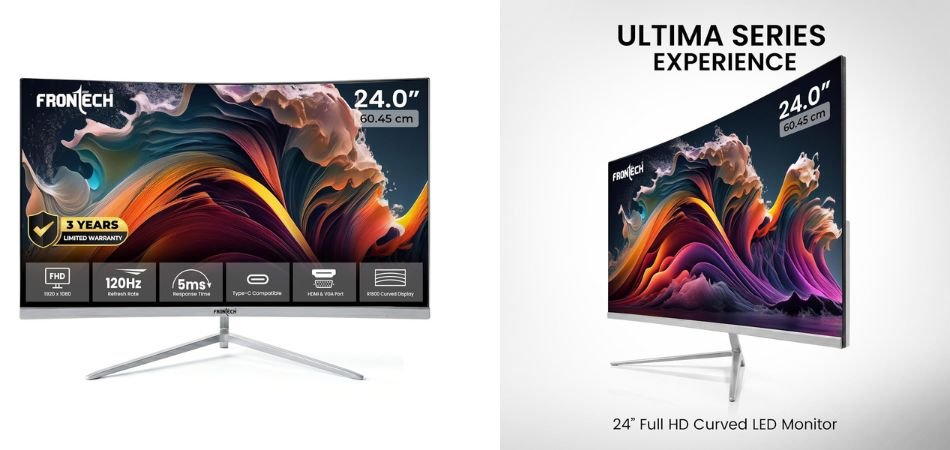
The FRONTECH MON-0077 is a stylish 24-inch curved Full HD monitor aimed at budget-conscious users who want smoother visuals and a modern setup. Its 120Hz refresh rate and 1800R curve make gaming and media viewing more fluid and immersive, while the slim bezel-less design keeps the display contemporary. The monitor also offers HDMI, VGA, and Type-C connectivity, adding useful flexibility for everyday computing and entertainment.
Key Specifications
| Feature | Details |
|---|---|
| Display Size | 24-inch |
| Resolution | Full HD 1920 × 1080 |
| Refresh Rate | 120Hz |
| Curvature | 1800R |
| Design | Slim, Bezel-Less |
| Ports | HDMI, VGA & Type-C |
| Series | Ultima |
| Model | MON-0077 |
| Colour | White |
| Ideal For | Gaming, Work & Entertainment |
Who Should Buy It?
The FRONTECH MON-0077 is suitable for casual gamers, students, office users, and entertainment-focused buyers looking for an affordable curved monitor with a high-refresh-rate display and versatile connectivity.
Verdict
With its 120Hz refresh rate, immersive 1800R curve, Full HD resolution, slim bezel-less design, and triple-input connectivity, the FRONTECH Ultima is an appealing budget monitor for 2026. It is best suited to users who value style and smooth everyday performance without requiring advanced competitive-gaming features.
2: Comparison Table
| Monitor | Size | Resolution | Refresh Rate | Response Time | Panel | Best For |
|---|---|---|---|---|---|---|
| Lenovo LOQ 24-10 | 23.8-inch | FHD 1920×1080 | 200Hz | 0.5ms | IPS | Competitive gaming |
| Lenovo L24-4C | 24-inch | FHD 1920×1080 | 144Hz | 1ms | IPS | Gaming & productivity |
| MSI MAG 245F X24 | 24-inch | FHD 1920×1080 | 240Hz | 0.5ms | Rapid IPS | Esports & FPS gaming |
| Acer SA242Y P1 | 23.8-inch | FHD 1920×1080 | 144Hz | 1ms VRB | IPS | Casual gaming & everyday use |
| FRONTECH Ultima MON-0077 | 24-inch | FHD 1920×1080 | 120Hz | — | LED | Budget gaming & entertainment |
3: How to Choose the Best Gaming Monitor Under 10000
Look for a monitor that balances high refresh rate, fast response time, good image quality, and useful connectivity. For most gamers, a 24-inch Full HD IPS monitor offers excellent value.
Refresh Rate
- 60Hz: Basic gaming
- 120Hz: Smoother gameplay
- 144/165Hz: Best value for gaming
- 200Hz: Excellent for fast-paced games
- 240Hz: Ideal for competitive esports
Response Time: Choose 0.5ms or 1ms for faster pixel transitions and reduced ghosting during action-heavy games.
IPS vs Other Panels: IPS offers the best balance of colours, viewing angles, and gaming performance. VA provides better contrast, while TN prioritizes speed.
Resolution & Size: 1080p at 24 inches is ideal for budget gaming, offering good sharpness and high FPS. Consider 1440p if you have a more powerful GPU.
AMD FreeSync / Adaptive Sync: These technologies reduce screen tearing and stuttering by synchronizing the monitor with your GPU.
Connectivity: Prefer HDMI and DisplayPort. USB Type-C, Audio Out, and VGA can add useful flexibility.
Ergonomics & VESA: Look for tilt, height, swivel, and VESA support for comfortable positioning and monitor-arm compatibility.
4: IPS vs Rapid IPS for Gaming
| Feature | IPS | Rapid IPS |
|---|---|---|
| Colour Reproduction | Excellent | Excellent |
| Viewing Angles | Wide | Wide |
| Response Time | Fast | Faster |
| Motion Clarity | Very Good | Excellent |
| Competitive Gaming | Good | Excellent |
| Everyday Usage | Excellent | Excellent |
5: Frequently Asked Questions (FAQs)
Q1: Which is the best gaming monitor under ₹10,000?
The MSI MAG 245F X24 is the strongest pick for competitive gaming, thanks to its 240Hz Rapid IPS panel and 0.5ms response time. The Lenovo LOQ 24-10 is another excellent all-round option.
Q2: Is 144Hz enough for gaming?
Yes. 144Hz is more than sufficient for smooth 1080p gaming and offers a major improvement over 60Hz.
Q3: Is a 200Hz monitor better than 144Hz?
Yes, technically. A 200Hz display provides slightly smoother motion, although the difference is most noticeable in fast-paced competitive games.
Q4: Is 240Hz worth it for a budget gaming PC?
Only if your PC can consistently produce high frame rates. Otherwise, a 144Hz–200Hz monitor may offer better value.
Q5: Is IPS better than VA for gaming?
IPS is generally preferable for its better viewing angles, colours, and fast response, while VA typically delivers deeper contrast.
Q6: Can I play PS5 or Xbox on these monitors?
Yes, provided the monitor has a compatible HDMI connection. However, console refresh-rate support depends on the specific model and game.
Q7: Does FreeSync work with NVIDIA graphics cards?
FreeSync monitors can work with many NVIDIA GPUs through G-SYNC Compatible mode, provided the monitor and connection support it.
Q8: Is 24-inch 1080p good for gaming?
Absolutely. 24-inch Full HD offers a sharp image and is an excellent combination for high-refresh-rate gaming.
Q9: Do I need DisplayPort for 144Hz/200Hz/240Hz?
Not always. It depends on the monitor and resolution, but DisplayPort is often the safest choice for high-refresh-rate PC gaming.
Q10: What should I check before buying a gaming monitor under 10000?
Prioritize refresh rate, response time, IPS panel, Adaptive Sync, resolution, ports, ergonomics, warranty, and VESA support before making your decision.
Conclusion
Finding the best gaming monitor under 10000 in India is no longer about settling for basic 60Hz displays. The monitors compared in this guide offer impressive combinations of high refresh rates, fast response times, IPS panels, Adaptive Sync, and Full HD resolution. For competitive gamers, the MSI MAG 245F X24 stands out with its 240Hz Rapid IPS panel and 0.5ms response time.
The Lenovo LOQ 24-10 is an excellent alternative with 200Hz performance, while the Lenovo L24-4C and Acer SA242Y P1 are versatile options for gaming and productivity. The FRONTECH Ultima is worth considering for buyers who prefer an affordable curved display.
For most gamers, a 24-inch 1080p IPS monitor with at least 144Hz offers the ideal balance of sharpness, smoothness, and GPU requirements. Before purchasing, compare the refresh rate, response time, connectivity, Adaptive Sync support, warranty, and ergonomic features rather than choosing purely by price.