
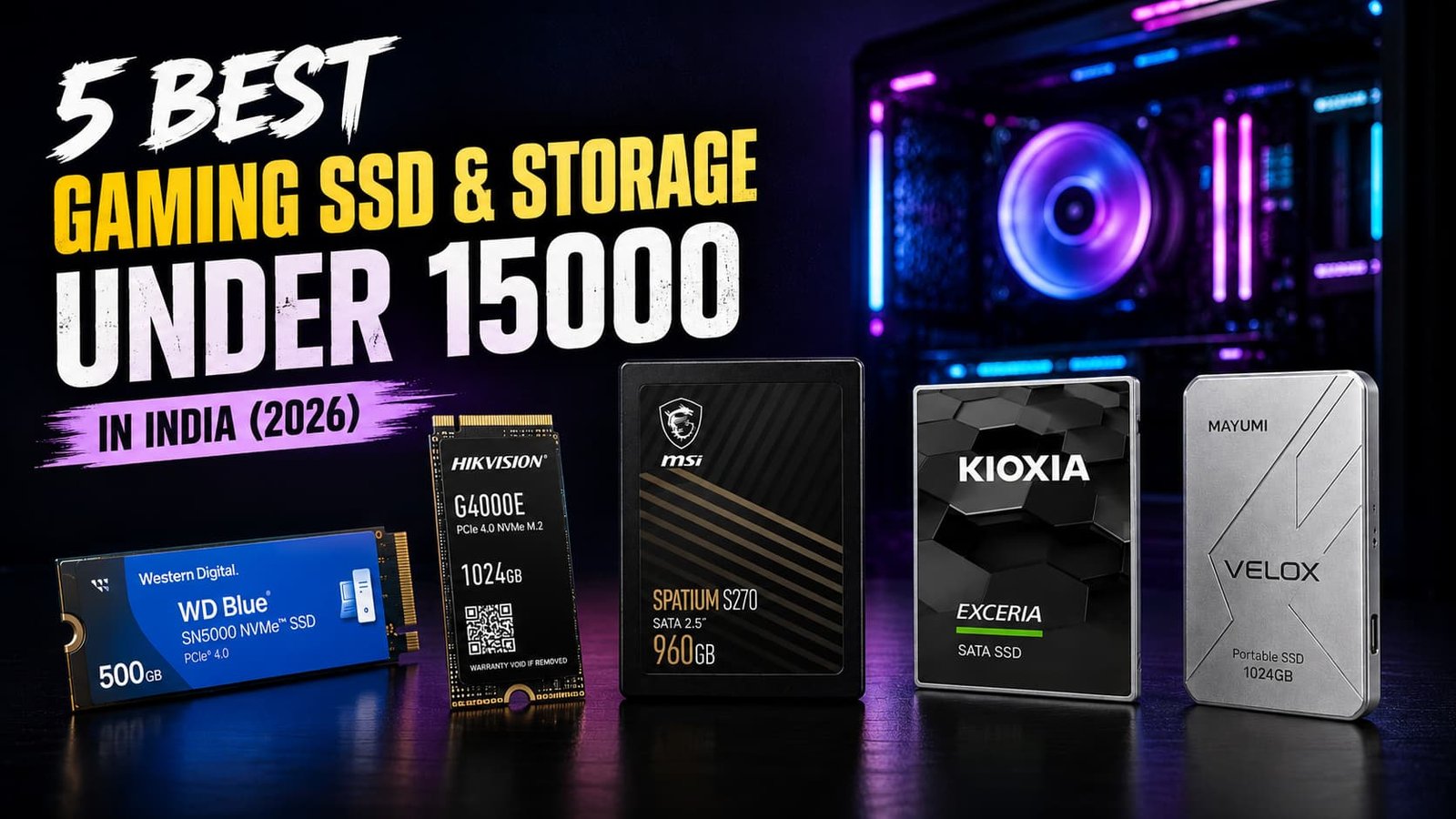

Finding the Best Gaming SSD Under 15000 requires balancing speed, capacity, reliability, and compatibility. An SSD delivers faster game loading, quicker boot times, and smoother system responsiveness than an HDD.
When choosing, consider storage capacity, read/write speeds, NVMe vs SATA, TBW endurance, warranty, and device compatibility. PC and laptop users should check M.2 or SATA support, while console gamers should verify storage compatibility.
Table of Contents
1: Best Gaming SSD Under 15000 in India
1.1: Western Digital WD Blue SN5000 NVMe 500GB Internal SSD
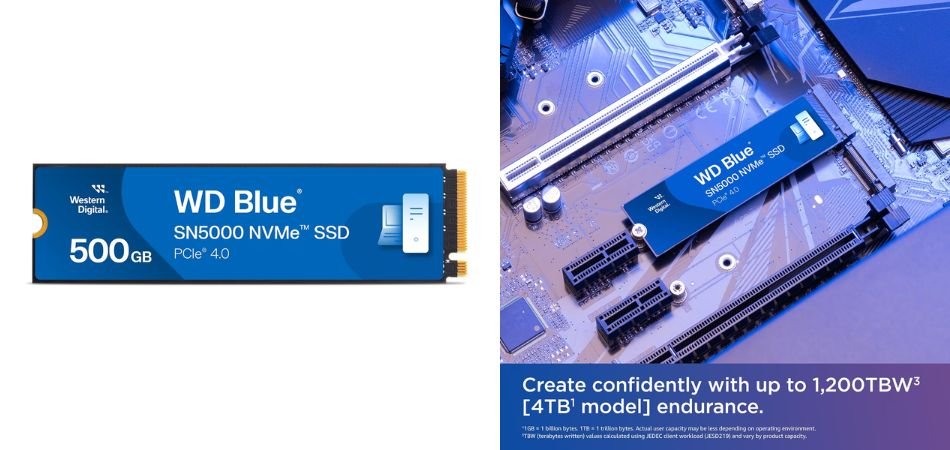
The WD Blue SN5000 NVMe 500GB SSD is a compact PCIe NVMe storage solution designed to deliver faster boot times, application loading, and everyday system responsiveness than traditional SATA drives. Its 500GB capacity offers a practical balance for gaming PCs, laptops, and productivity systems, while the M.2 form factor makes installation straightforward on compatible motherboards.
Key Highlights
| Feature | Details |
|---|---|
| Product | WD Blue SN5000 NVMe SSD |
| Capacity | 500GB |
| Form Factor | M.2 2280 |
| Interface | PCIe NVMe |
| Storage Type | NVMe SSD |
| Use Case | Gaming, productivity, everyday computing |
| Installation | M.2 slot-compatible systems |
| Main Advantage | Faster loading and responsive storage performance |
Gaming Performance
For gaming, the WD Blue SN5000 500GB can significantly improve system responsiveness and reduce game load times compared with older SATA-based storage. Its NVMe design is particularly useful for modern PC builds where quick access to large game files and applications matters. The 500GB capacity is suitable for a focused gaming library, although users with several large AAA titles may eventually need additional storage.
Best For
The WD Blue SN5000 NVMe 500GB is best suited for gamers, students, creators, and everyday PC users looking for a reliable NVMe upgrade without moving to very high-capacity storage.
1.2: HIKVISION G4000E Int Gaming SSD 1024GB
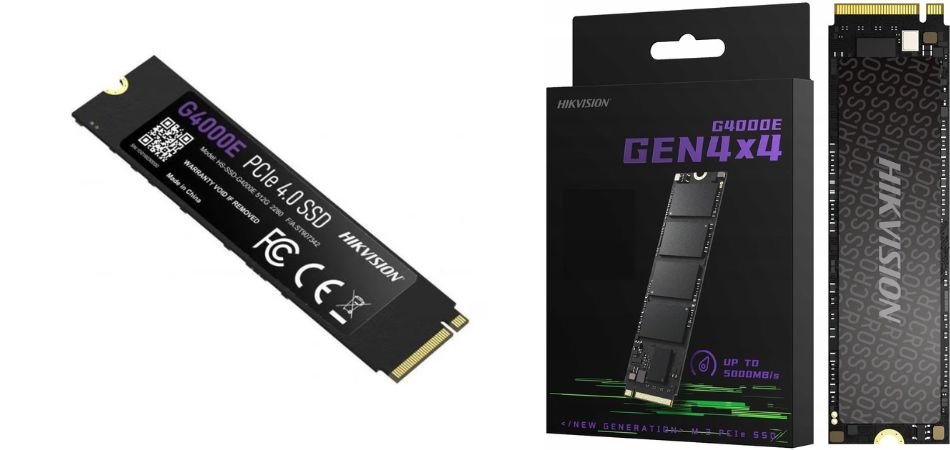
The HIKVISION G4000E 1024GB Gaming SSD is a PCIe Gen4 NVMe drive built for gamers and performance-focused PC users. With up to 5,100MB/s read and 4,200MB/s write speeds, it delivers fast game loading, quick boot times, and responsive file transfers.
Key Highlights
| Feature | Details |
|---|---|
| Capacity | 1024GB (1TB) |
| Interface | PCIe Gen4 NVMe |
| Read Speed | Up to 5,100MB/s |
| Write Speed | Up to 4,200MB/s |
| Form Factor | M.2 |
| Type | Internal Gaming SSD |
| Warranty | 5 years |
| Compatibility | PC and compatible laptops |
Gaming Performance
The G4000E is well suited to modern gaming, offering significantly faster loading and system responsiveness than SATA SSDs. Its Gen4 interface helps reduce game launch and level-loading times while supporting quicker large-file transfers.
Best For
The HIKVISION G4000E 1TB is best for gamers building or upgrading a performance-oriented PC who want fast NVMe storage, generous capacity, and strong sequential speeds without stepping into flagship SSD pricing.
1.3: MSI SPATIUM S270 SATA 2.5” 960GB Internal SSD
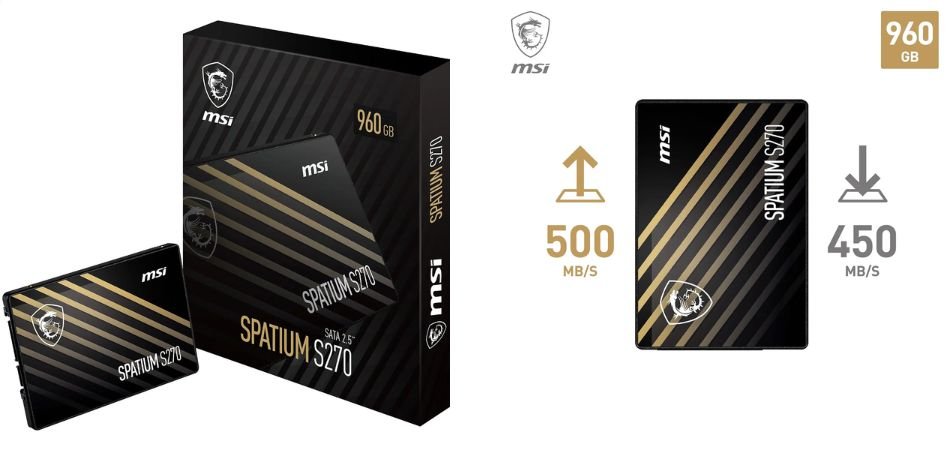
The MSI SPATIUM S270 960GB SATA SSD is a practical storage upgrade for desktops and laptops that support 2.5-inch SATA drives. Using 3D NAND technology, it offers up to 500MB/s read and 450MB/s write speeds, delivering faster boot times, smoother application loading, and better responsiveness than traditional hard drives.
Key Highlights
| Feature | Details |
|---|---|
| Capacity | 960GB |
| Interface | SATA III |
| Form Factor | 2.5-inch |
| Read Speed | Up to 500MB/s |
| Write Speed | Up to 450MB/s |
| NAND | 3D NAND |
| Endurance | Up to 500TBW |
| Data Security | Built-in data security features |
| Warranty | 5 years |
| Best Use | Gaming, upgrades, everyday computing |
Gaming Performance
The MSI SPATIUM S270 can noticeably reduce boot and game loading times compared with an HDD. While its SATA interface cannot match modern NVMe SSDs, its consistent performance makes it a capable choice for older gaming PCs and laptops. The 960GB capacity also provides useful space for multiple games and applications.
Best For
The MSI SPATIUM S270 960GB is best for gamers and PC users upgrading from an HDD who want dependable SATA SSD performance, generous storage, 500TBW endurance, and a reassuring five-year warranty without requiring an M.2 NVMe-compatible system.
1.4: KIOXIA EXCERIA SATA SSD 960GB
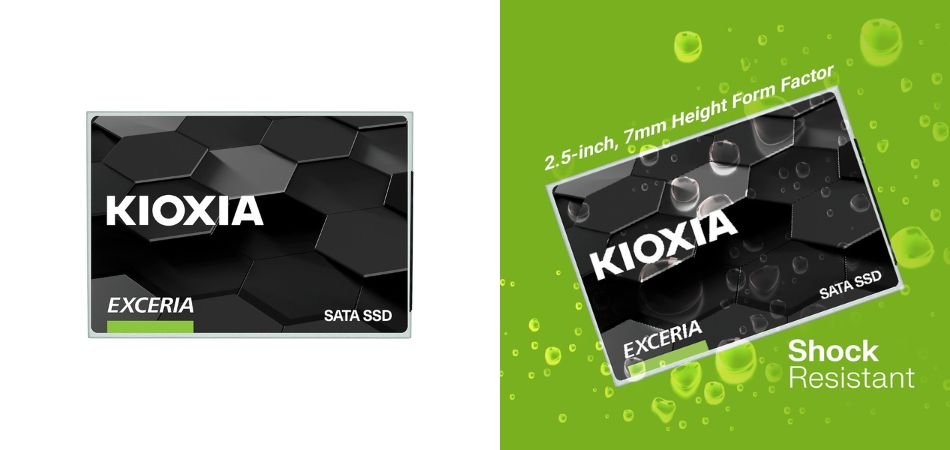
The KIOXIA EXCERIA SATA SSD 960GB is a reliable 2.5-inch storage upgrade designed to replace slower hard drives with faster, more responsive solid-state storage. Its SATA interface delivers strong everyday performance for booting Windows, launching applications, transferring files, and loading games. With nearly 1TB of capacity, it also provides ample room for a sizeable game library and essential files.
Key Highlights
| Feature | Details |
|---|---|
| Capacity | 960GB |
| Form Factor | 2.5-inch |
| Interface | SATA |
| Sequential Read | Up to 555MB/s |
| Sequential Write | Up to 540MB/s |
| NAND | 3D BiCS FLASH |
| Storage Type | Internal SATA SSD |
| Best Use | Gaming, productivity, PC upgrades |
Gaming Performance
The KIOXIA EXCERIA significantly improves game loading and system responsiveness compared with HDD storage. While SATA speeds are below modern NVMe SSDs, performance remains sufficient for everyday PC gaming and faster level loading.
Best For
The KIOXIA EXCERIA 960GB is best for gamers and users upgrading older desktops or laptops who want generous storage, dependable SATA performance, and a noticeable improvement over traditional hard drives.
1.5: MAYUMI Velox Portable SSD 1024GB
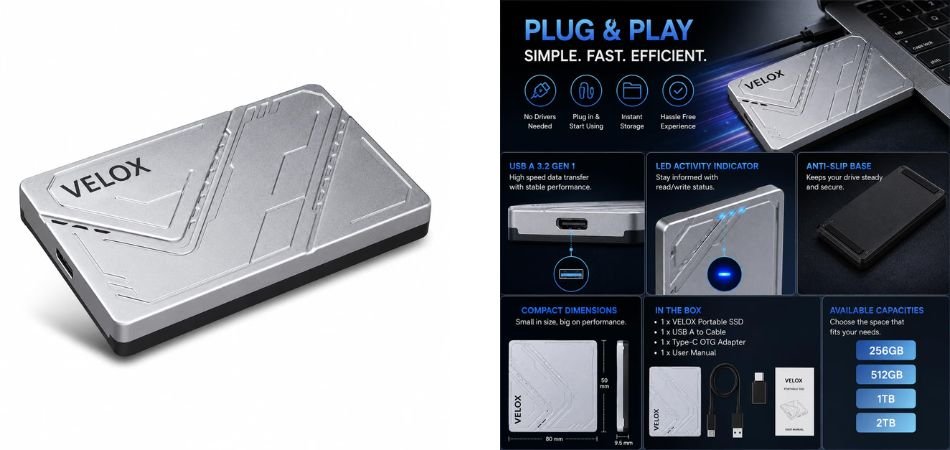
The MAYUMI Velox Portable SSD 1024GB is a compact external storage solution featuring USB 3.2 Gen 1 connectivity with speeds up to 5Gbps. Its Type-C OTG support enables convenient plug-and-play use across laptops, PCs, Android devices, gaming consoles, and Smart TVs. The silver finish and portable design make it practical for users who need extra storage without carrying a bulky drive.
Key Highlights
| Feature | Details |
|---|---|
| Capacity | 1024GB |
| Interface | USB 3.2 Gen 1 |
| Maximum Interface Speed | Up to 5Gbps |
| Connector | Type-C |
| OTG Support | Yes |
| Compatibility | Laptop, PC, Android, PS5, PS4, Xbox, Smart TV |
| Installation | Plug and Play |
| Design | Compact, portable |
| Colour | Silver |
| Storage Type | External SSD |
Gaming Performance
The Velox SSD offers faster game transfers and loading than traditional external HDDs. Its 5Gbps USB interface is suitable for moving large game files and expanding compatible gaming setups.
Best For
The MAYUMI Velox 1TB Portable SSD is best for gamers, students, creators, and everyday users seeking portable, versatile, and convenient external storage.
2: Comparison Table
| SSD | Capacity | Type | Interface | Best For |
|---|---|---|---|---|
| WD Blue SN5000 | 500GB | NVMe | PCIe Gen4 | PC Gaming |
| HIKVISION G4000E | 1TB | NVMe | PCIe Gen4 | High-Speed Gaming |
| MSI SPATIUM S270 | 960GB | SATA | SATA III | Budget Upgrades |
| KIOXIA EXCERIA | 960GB | SATA | SATA | Older PCs |
| MAYUMI Velox | 1TB | Portable | USB 3.2 Gen 1 | Console & Portable Storage |
3: NVMe vs SATA vs Portable SSD — Which Should You Buy?
- NVMe SSD: Best performance, faster game loads and file transfers; requires M.2/PCIe support.
- SATA SSD: Affordable HDD replacement with broad compatibility, but slower than NVMe.
- Portable SSD: Easy to carry, works across devices, requires no internal installation, and is ideal for backups and large game files.
Verdict: Choose NVMe for speed, SATA for value, and Portable SSD for flexibility.
4: What to Check Before Buying a Gaming SSD
Before buying a gaming SSD, consider compatibility, capacity, endurance, and your gaming platform.
- Check Device Compatibility: Confirm whether your device supports an M.2 NVMe slot or 2.5-inch SATA bay, along with the required PCIe generation or SATA connector.
- Choose Capacity: 500GB suits an OS and selected games, 1TB offers the best balance for most gamers, while 2TB+ is ideal for large libraries.
- Look at Endurance: Check the TBW rating, especially for frequent writes and large file transfers.
- Check Warranty: A longer warranty adds valuable peace of mind.
- Consider Your Platform: Ensure compatibility with your PC, laptop, PS4/PS5, Xbox, or Android device before purchasing.
5: Frequently Asked Questions (FAQs)
Q1: Is an SSD better than an HDD for gaming?
Yes. SSDs offer faster boot times, game loading, and overall system responsiveness.
Q2: Is NVMe better than SATA for gaming?
NVMe provides much higher bandwidth, although real-world game loading improvements can be smaller than benchmark results suggest.
Q3: Is 500GB enough for gaming?
Yes, but 1TB is a more comfortable choice for modern games and Windows.
Q4: Is a 1TB SSD worth buying in 2026?
Yes. It offers a practical balance of storage capacity, performance, and price.
Q5: Can I use an external SSD for gaming?
Yes, if your gaming platform supports external storage. Performance depends on the SSD and USB interface.
Q6: MSI S270 or KIOXIA EXCERIA SATA?
Both are SATA options. Compare price, capacity, warranty, and availability before buying.
Q7: Can I install an NVMe SSD in any laptop?
No. Your laptop needs a compatible M.2 slot with NVMe/PCIe support.
6: Conclusion
Choosing the best gaming SSD under 15000 ultimately depends on your system and storage needs. Each drive in this list serves a different purpose:
- Best Overall Performance: WD Blue SN5000
- Best 1TB NVMe: HIKVISION G4000E
- Best SATA Upgrade: MSI SPATIUM S270
- Best High-Capacity SATA: KIOXIA EXCERIA
- Best Portable Storage: MAYUMI Velox
For a modern gaming PC with an available M.2 NVMe slot, an NVMe SSD is the preferred choice for faster performance. Systems limited to SATA can benefit from the MSI SPATIUM S270 or KIOXIA EXCERIA 960GB. For convenient multi-device storage, the MAYUMI Velox is the practical pick.